INNOV-AI

Innovation and Research from Réunion Island, France

Back   Home

Create a new MentDB user (different for website connection) @ ADMIN - Administration @ MentDB Weak

> Start the server
> (or start the server for the first time (embedded mode - H2 Database))
> (or start the server for the first time (remote mode - MySQL 8 Database))
> Open the MentDB Weak Editor

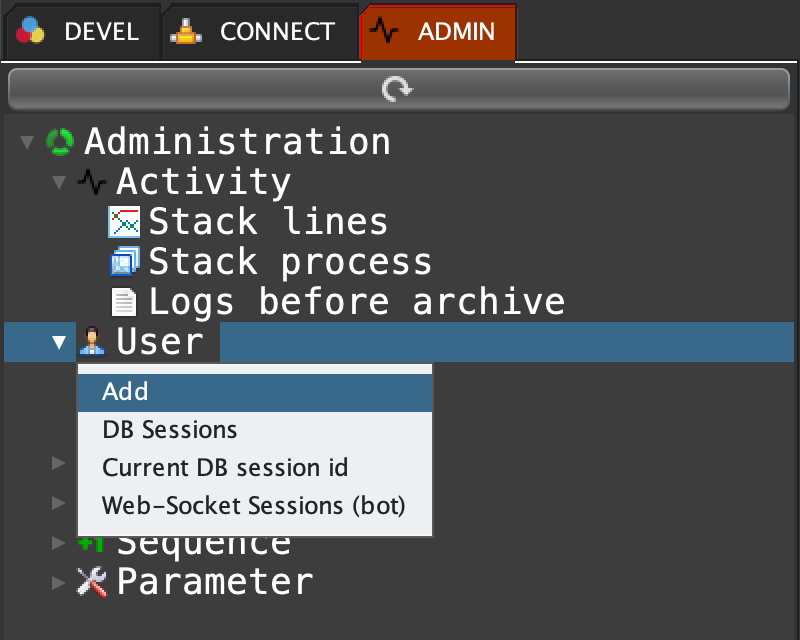
Click on the ADMIN tab, right click on 'User' and select 'Add' ...
MQL INPUT
user create "<<<login>>>" "<<<password>>>";
MQL INPUT
user create "bob" "123456";
MQL OUTPUT
"User bob created with successful (BNkLGJB6SsKtjpYonwIPCaWQ)."

'BNkLGJB6SsKtjpYonwIPCaWQ' is the synchronous encrypted session key. Use it into your MentDB connections ...

start: 2026-01-09   end: 2026-01-10   v_start: 401   v_end: