INNOV-AI

Innovation and Research from Réunion Island, France

Back   Home

Get the config of a database @ CONNECT - Connections @ MentDB Weak

> Start the server
> (or start the server for the first time (embedded mode - H2 Database))
> (or start the server for the first time (remote mode - MySQL 8 Database))
> Open the MentDB Weak Editor

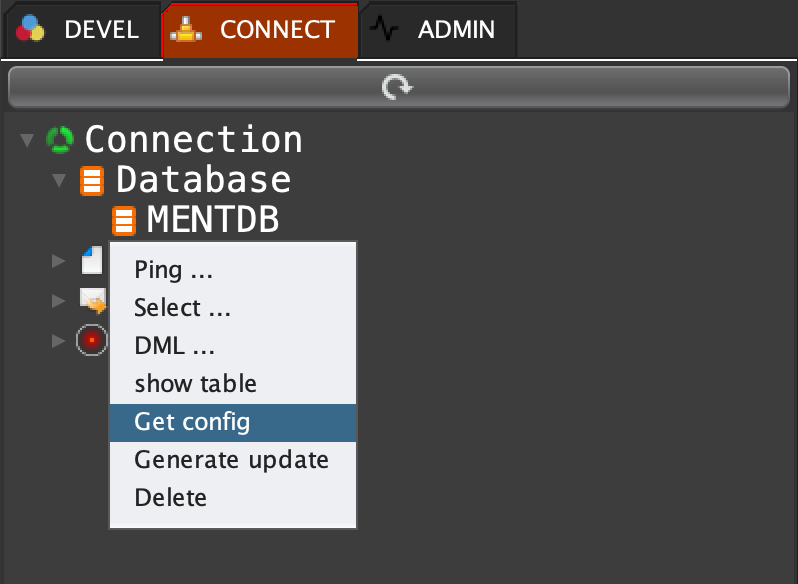
Click on 'CONNECT' tab, open 'Database', right click on 'MENTDB' and select 'Get config'
MQL INPUT
cm get "MENTDB"
MQL OUTPUT
"{
  \"driver\": \"org.h2.Driver\",
  \"defaultSchema\": \"public\",
  \"subType\": \"H2\",
  \"loginTimeout\": \"10000\",
  \"jdbc\": \"jdbc:h2:./data/mentdb_h2\",
  \"k\": \"MENTDB\",
  \"type\": \"db\",
  \"properties\": {
    \"DATABASE_TO_LOWER\": \"TRUE\",
    \"password\": \"pwd\",
    \"MODE\": \"MYSQL\",
    \"user\": \"root\"
  }
}"

start: 2026-01-17   end: 2026-01-30   v_start: 401   v_end: