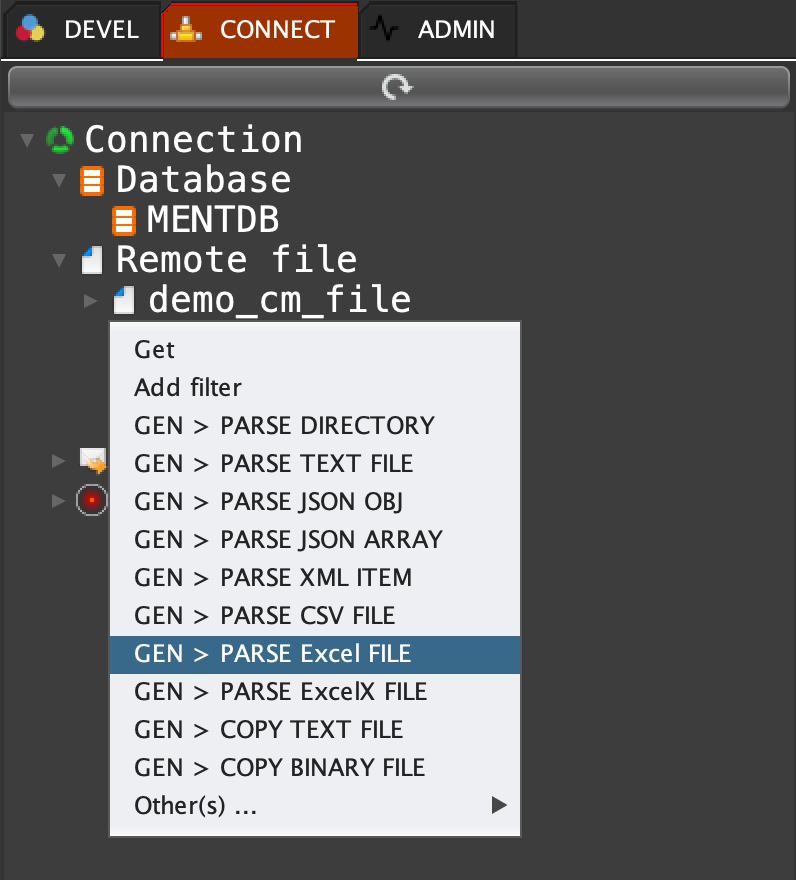
Click on 'CONNECT' tab, open 'Remote file', right click on 'demo_cm_file' and select 'GEN > PARSE Excel FILE'
script create post "demo.file.excel.parse" false 1 (param (var "[fileName]" {true} "The file name" is_null:false is_empty:false "test.xls") ;) "Parse an Excel file" { #Load the connection id; json load "cm" (cm get "demo_cm_file"); -> "[localDir]" (json select "cm" /localDir); #Initialization; -> "[start_line]" 1; -> "[end_line]" 10; -> "[start_col]" 1; -> "[end_col]" 5; try { #Load the Excel file; excel load "excelId" (concat [localDir] "/" [fileName]); for (-> "[row]" [start_line]) (<= [row] [end_line]) (++ "[row]") { for (-> "[col]" [start_col]) (<= [col] [end_col]) (++ "[col]") { -> "[value]" (excel cell get "excelId" "sheet1" [row] [col]); #Your code here; log trace [value]; }; }; excel close "excelId"; } { #Close objects; try {excel close "excelId";} {} "[sub_err]"; #Generate an error; exception (1) ([err]); } "[err]"; } "Return nothing";
 INNOV-AI