INNOV-AI

Innovation and Research from Réunion Island, France

Back   Home

Create an IMAP remote connection @ CONNECT - Connections @ MentDB Weak

> Start the server
> (or start the server for the first time (embedded mode - H2 Database))
> (or start the server for the first time (remote mode - MySQL 8 Database))
> Open the MentDB Weak Editor

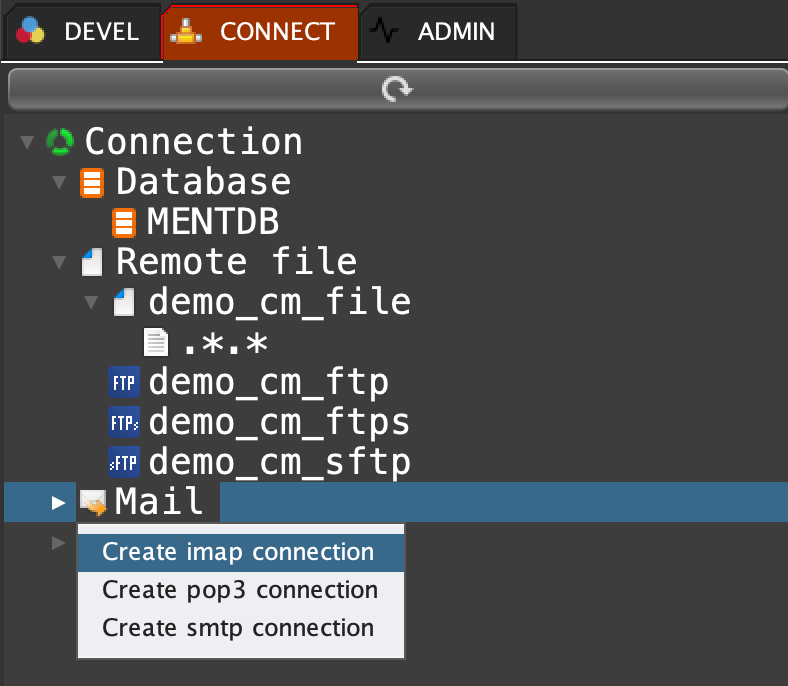
Click on 'CONNECT' tab, right click on 'Mail' and select 'Create imap connection'
MQL INPUT
cm set "demo_cm_imap" {execute "mail.imap.config.get"
	"[hostname]" "imap.gmail.com"
	"[port]" "993"
	"[user]" "your-account@gmail.com"
	"[password]" "pwd"
	"[auth]" false
	"[tls]" false
	"[ssl]" true
	"[connectTimeout]" "10000"
	"[sessionTimeout]" "60000"
;};
MQL OUTPUT
"1"

Click on the refresh button

start: 2026-01-17   end: 2026-01-31   v_start: 401   v_end: