Click on 'CONNECT' tab, open 'MentDB', right click on 'demo_cm_mentdb' and select 'Get'
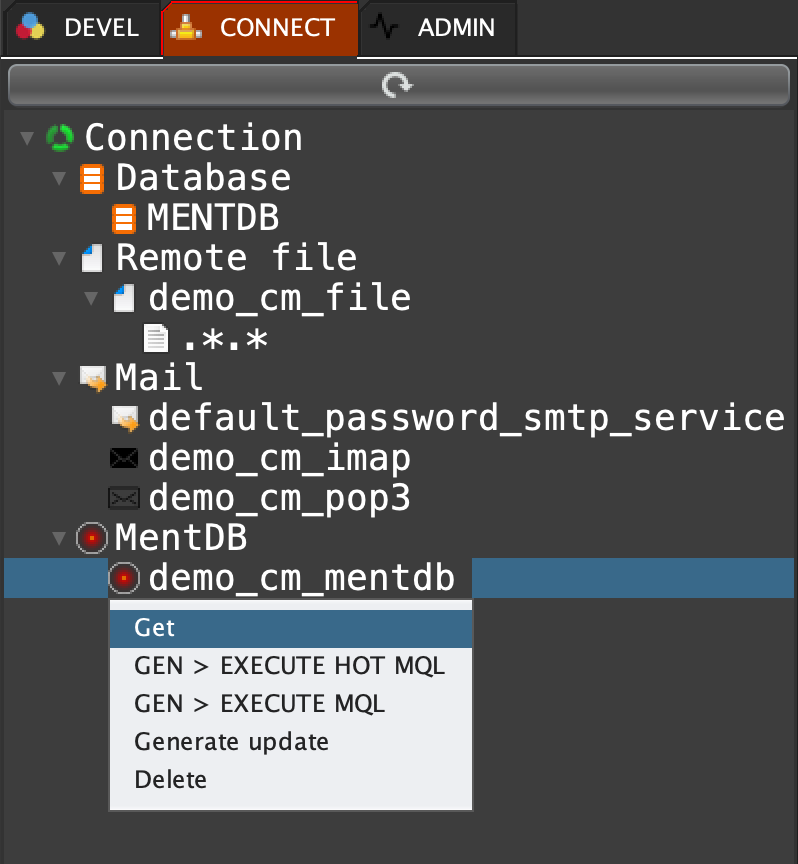
cm get "demo_cm_mentdb"
"{
\"subTunnels\": \"\n\ntunnel execute_hot \\"tunnelId1\\" {cm get \\"demo_cm_mentdb\\";} (mql {\n\ttunnel execute_hot \\"tunnelId2\\" {cm get \\"demo_cm_mentdb\\";} (mql {\n\t\n\t\t[MQL_TO_REPLACE]\n\t\t\n\t});\n});\n\n\",
\"hostname\": \"localhost\",
\"password\": \"pwd\",
\"port\": \"9998\",
\"readTimeout\": \"30000\",
\"connectTimeout\": \"10000\",
\"k\": \"demo_cm_mentdb\",
\"type\": \"mentdb\",
\"user\": \"admin\",
\"mql_users\": \"[\n \\"admin\\"\n]\",
\"key\": \"pwd\"
}" INNOV-AI