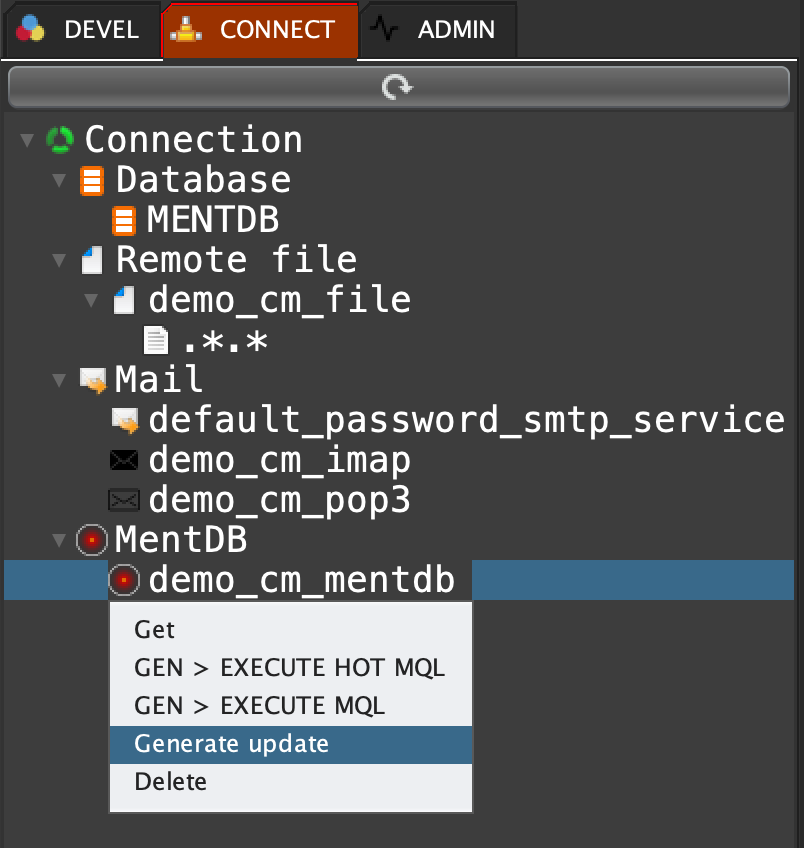
Click on 'CONNECT' tab, open 'MentDB', right click on 'demo_cm_mentdb' and select 'Generate update'
json load "tmpCm" "{}"; json iobject "tmpCm" / "subTunnels" " tunnel execute_hot \"tunnelId1\" {cm get \"demo_cm_mentdb\";} (mql { tunnel execute_hot \"tunnelId2\" {cm get \"demo_cm_mentdb\";} (mql { [MQL_TO_REPLACE] }); }); " STR; json iobject "tmpCm" / "hostname" "localhost" STR; json iobject "tmpCm" / "password" "pwd" STR; json iobject "tmpCm" / "port" "9998" STR; json iobject "tmpCm" / "readTimeout" "30000" STR; json iobject "tmpCm" / "connectTimeout" "10000" STR; json iobject "tmpCm" / "k" "demo_cm_mentdb" STR; json iobject "tmpCm" / "type" "mentdb" STR; json iobject "tmpCm" / "user" "admin" STR; json iobject "tmpCm" / "mql_users" "[ \"admin\" ]" STR; json iobject "tmpCm" / "key" "pwd" STR; cm set "demo_cm_mentdb" {json doc "tmpCm"};
"1" INNOV-AI